


Bushnell Golf Mobile
4.4550.00 Reviews
App Specs
- Version
- 3.0.6
- Updated On
- License
- Free
- Downloads
- 100,000+
- Developer
- Foresight Sports!
- Categories
- Sports
- Platform
- Android
Screenshots
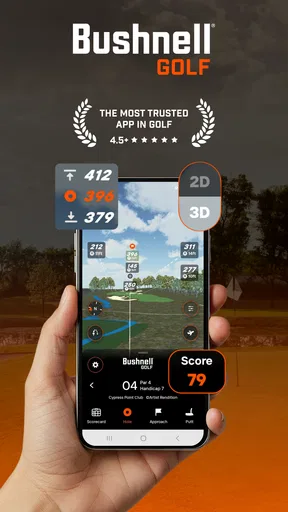
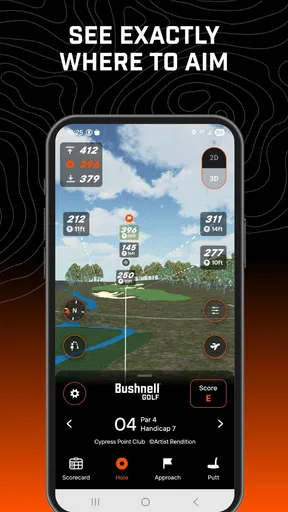
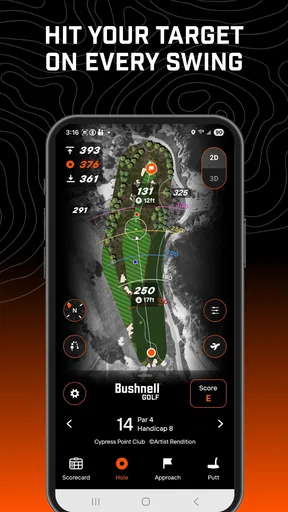
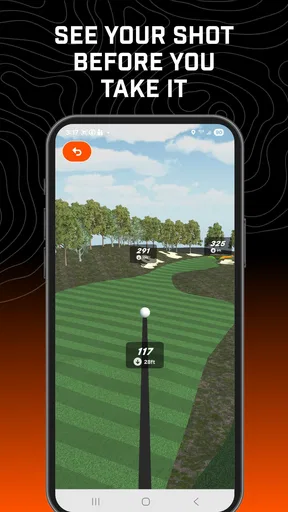
 Analysis by AppCompare
I tend to judge a golf app less by how impressive it sounds in the clubhouse and more by whether it gets out of my way when I’m preparing to hit. Bushnell Golf Mobile is aimed at golfers who want course information and distance guidance on a phone, with a focus that makes sense for a quick check between shots rather than a long session staring at a screen. That practical role is appealing, though it also means the value depends on how much you want your phone involved in a round.
What to expect from its pace
The app’s purpose is straightforward: help make distance decisions simpler. In normal use, the best experience is likely to come from checking the information you need, putting the phone away, and returning to your round. That’s a better fit for golf than repeatedly navigating menus while your group waits. I’d treat it as a companion for decisions, not as a reason to turn every shot into a lengthy data review.
Speed on the course is not just a matter of how quickly an app opens. It also depends on whether your phone has a dependable GPS signal and enough battery for the day. Before playing, I’d open the app and prepare while I have time, rather than waiting until I’m standing over a shot to discover I need to sort out a setting or load course information. That small change in routine can make a phone-based tool feel much more responsive.
When a round puts it to work
The useful test is a busy stretch of holes: you are moving between shots, checking distances, and trying to keep pace with the group. A phone app can be convenient in those moments, but it can also interrupt your rhythm if you need to unlock the screen, find the right view, and hold the device steady. I’d keep my checks brief and use the information to support a club choice rather than trying to inspect every detail before every swing.
A realistic use case is a casual weekend round on a course you have not played before. I would check the app before the first tee, use it to orient myself, and then consult it selectively when a hole or approach leaves me unsure about distance. That is where digital guidance can add confidence without taking over the game. If I already know the course well, or prefer to make decisions by feel, I would use it less often.
Reliability is part of the routine
For any GPS golf app, consistency matters more than a flashy screen. A distance reading only helps when I can get to it at the right moment and understand what I’m seeing. I would avoid treating a phone reading as unquestionable: compare it with your own course knowledge and account for conditions and shot shape. That is sensible for any distance aid, not a knock on this app specifically.
I also wouldn’t assume every round will feel identical. A phone’s signal, battery level, and handling can affect the experience, so it is worth starting with a charged device and checking that the app is ready before play. If anything feels off during a round, I’d return to familiar landmarks and judgment instead of letting a screen slow down the group. A useful golf aid should support decisions, not make you dependent on it.
Worth Reading Before You Choose

Flipboard Shows What News Apps Must Do Beyond the Feed

Switching to Android Auto Means Rethinking Your Driving Routine

Google Calendar Makes a Crowded Week Easier to Manage

Ludo King Makes the Most of the Minutes Between Plans

Baby Panda World Brings Quick Play to Modern Phones, but Its Game Library Feels Busy

ESPN’s Live Game View Makes Following Close Games Easier
Phone trade-offs and who should choose it
A phone is convenient because it is already in your pocket, but it is not always the easiest golf device to use. Taking it out and looking at a screen can be less seamless than checking a dedicated golf watch or rangefinder. On the other hand, a phone can be more comfortable for someone who wants to consult a larger display while planning a hole. The right choice depends on whether you value a quick glance or a fuller on-screen view.
I’d consider this a better fit for golfers who enjoy having digital course help available but do not need it to dictate every shot. It is less compelling if you want a completely screen-free round, dislike carrying a phone, or already rely on another distance tool that suits you. Your habits matter more than the promise of any one feature: if you rarely reach for your phone on the course, installing another golf app may not change that.
The Ultimate Golfing Companion
The Bushnell Golf Mobile app is like having a personal caddy right in your pocket. It's packed with features that cater to every golfer's needs, making your time on the green more enjoyable and efficient. From precise distances to detailed course maps, this app has it all.
Features That Stand Out
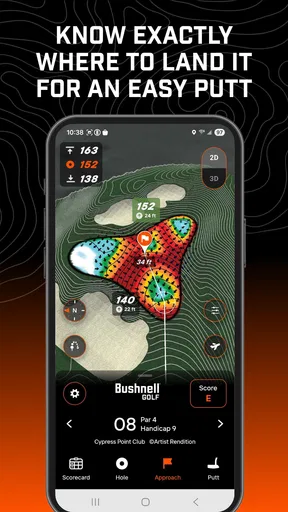
One of the standout features is the GPS functionality. It offers accurate yardages to the front, center, and back of the green, helping you make informed decisions for every shot. The app covers over 36,000 courses worldwide, so no matter where you are, it’s got you covered.
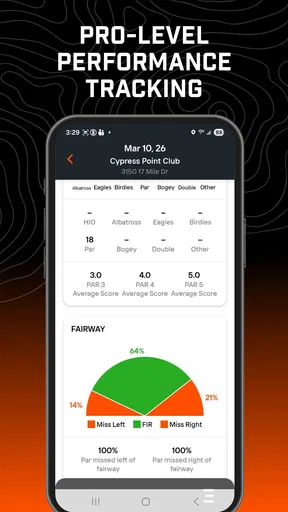
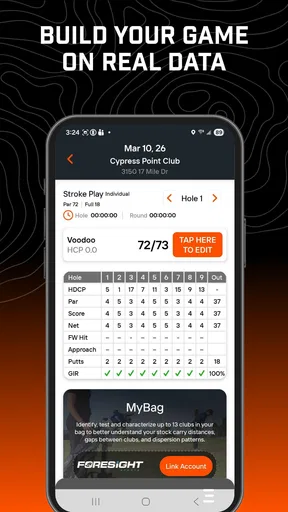
Another great feature is the shot tracking. You can log each of your shots and see detailed statistics on your performance. This is perfect for those looking to analyze their game and make improvements. Trust me, seeing your progress over time is both motivating and rewarding.
Course Data and Updates
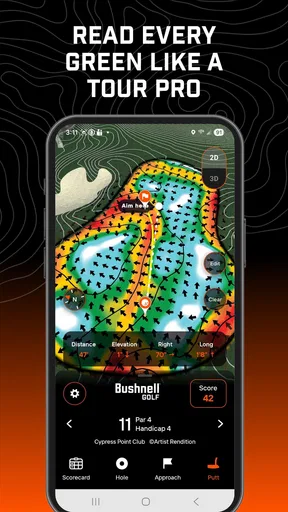
Keeping up with course updates is crucial, and the Bushnell Golf Mobile app excels here. It provides real-time updates, ensuring you have the latest information at your fingertips. Plus, the aerial views of each course are incredibly detailed, making navigation a breeze.
Having access to such comprehensive course data can truly change the way you play. It’s like having insider knowledge, and who wouldn’t want that advantage on the course?
Using the information without slowing down
For a more useful round, I would decide in advance what I want to learn from the app. If my goal is to improve course management, I can note where I tend to hesitate over club choice and use the distance view as a prompt to make a decision. If I want to review my play afterward, shot tracking gives me a reason to record consistently rather than trying to reconstruct the round from memory at home.
That consistency is the less obvious trade-off with tracking: logging shots can provide a clearer picture of patterns, but only if I am willing to keep doing it. On a relaxed outing, I might record selectively so the process stays enjoyable. For a practice-minded round, I’d be more systematic and focus on a question—such as whether my approach choices are sensible—instead of logging details without a purpose.
User Experience and Interface
Now, let’s talk about the user experience. The app is designed with a clean, intuitive interface that’s easy to navigate. Even if you’re not tech-savvy, you’ll find it straightforward to use. The developers have done an outstanding job in ensuring that all the essential features are just a tap away.
One thing I particularly appreciate is the app’s responsiveness. It loads quickly, and the GPS is consistently accurate. There’s nothing worse than laggy tech when you’re trying to focus on your game.
Preparing for a smooth round
I would make the first few minutes of a new course visit a setup moment, not a test performed on the tee. Check that the phone has enough charge, open the app, and get comfortable with the screen you expect to use. This is especially worthwhile if you are playing with others and want to avoid fumbling with your device while they are ready to go. It also gives you a chance to decide whether the phone display is easy for you to read outdoors.
On a long day, battery use is a fair concern for any app that relies on GPS. I would avoid leaving the screen active when I do not need it and keep the phone put away between checks. That is a practical habit rather than a special trick, but it helps balance access to course guidance with the phone’s other jobs. If keeping the phone available for calls, navigation, or photos matters more than golf data, a dedicated golf device may be a better match.
Choosing between a phone app and other golf aids
Compared with paper notes or memory, a phone-based course guide can make it easier to check information while playing somewhere unfamiliar. Compared with a dedicated rangefinder, it offers a different kind of convenience: the phone is versatile and can present course context, while a separate device may feel faster for a golfer who wants a direct distance check without navigating a screen. Neither approach is automatically better. I would choose based on what I actually reach for during a round.
There is also a difference between using a golf app for guidance and using it as a complete performance system. Bushnell Golf Mobile brings course information and shot tracking together, which can suit someone who wants both in one place. But a golfer who mainly wants detailed training analysis may prefer a specialist tool or a coach, while someone who only wants basic yardages may find a simpler option easier to use. The most useful setup is the one that adds clarity without adding chores.
Why You Need This App
So, why should you download the Bushnell Golf Mobile app? Simply put, it enhances your golfing experience. Whether you’re tracking your scores or looking for course information, this app provides everything you need in one place. It’s like having a personal coach and course guide rolled into one.
Moreover, the app’s ability to track your progress and provide insights into your game is invaluable. Over time, you’ll notice improvements in your strategy and performance. That’s not just helpful; it’s game-changing.
Who will get the most from it
The strongest case for this app is a golfer who plays often enough to value a repeatable routine, likes checking course information, and is curious about patterns in their own shots. A newer player may appreciate having distances available while learning how to plan a hole. A more experienced player may use it as a quick reference, then rely on personal judgment to account for wind, lie, confidence, and the shot they are actually capable of hitting.
I would be more cautious about recommending it to someone who wants golf technology to work entirely in the background. A phone still needs to be carried, viewed, and managed, and shot tracking asks for attention if you want useful records. If you find that screen checks break your concentration, there is no shame in using a simpler aid—or leaving the phone in your bag and playing by feel.
Cost, age suitability, and what to expect
The app is free to download, so trying its basic role does not require an upfront purchase. In-app purchases range from $9.99 to $99.99 per item, which is a substantial spread; I would check what an optional purchase actually adds and whether it addresses a need I have before paying. A free install is not the same as every possible extra being included, so it is worth making that distinction before building your routine around a paid option.
It is listed for Everyone, making the age classification broad, though the practical audience is naturally people interested in golf. The current version is 3.0.1, and it is compatible with Android 9 or later. If you have an older phone, check compatibility before planning to use it on the course. For anyone unsure whether a golf app will suit their habits, starting with the free download and testing it during a low-pressure round is the sensible approach.
Final Thoughts
In conclusion, the Bushnell Golf Mobile app is a fantastic tool for anyone serious about improving their golf game. With its robust set of features, user-friendly interface, and detailed course data, it’s a no-brainer addition to your golfing arsenal.
So, next time you’re heading to the course, make sure you’ve got this app installed. It’s like bringing a little extra magic to your game, and who wouldn’t want that? Happy golfing!
My recommendation is more measured: the app makes the most sense if you will use its course information and shot records regularly enough to justify checking your phone during a round. It has a strong audience among golfers who like a digital reference but still make their own decisions. Foresight Sports! is the developer, and the app has a 4.5 average from around 8.1 thousand ratings, with over 100 thousand installs and 535 written reviews. That level of adoption suggests plenty of golfers have given it a try, but your own playing style is the better guide to whether it belongs in your pocket.
Pros
- Accurate GPS mapping for courses.
- Real-time weather updates.
- Digital scorekeeping feature.
- User-friendly interface.
- Course statistics tracking.
Cons
- Limited free features.
- Occasional GPS lag.
- Requires constant internet.
- Frequent in-app ads.
- Subscription needed for full access.
FAQs for Bushnell Golf Mobile
What is Bushnell Golf Mobile, and what features does it offer?
Bushnell Golf Mobile is a comprehensive app designed for golf enthusiasts. It offers GPS-enabled maps of over 36,000 courses worldwide, detailed course information, score tracking, and hole flyovers. The app also provides weather forecasts and integrates with Bushnell devices for enhanced performance. This makes it an essential tool for both amateur and professional golfers.
Is Bushnell Golf Mobile compatible with all smartphones?
Bushnell Golf Mobile is compatible with both Android and iOS devices, but it’s essential to check the specific version requirements. Some older smartphones may not support the app due to hardware limitations. Always ensure your device’s operating system is updated to meet the app’s specifications for optimal performance.
Does Bushnell Golf Mobile require an internet connection to function?
While Bushnell Golf Mobile offers offline functionality for basic features like GPS and course maps, an internet connection is required for updates, downloading new courses, and accessing weather forecasts. For the best experience, occasional connectivity is recommended to ensure all features are fully operational.
Are there any costs associated with Bushnell Golf Mobile?
Bushnell Golf Mobile is available as a free download, but it may offer in-app purchases for premium features or subscriptions. These may include advanced tracking options or additional course data. It’s advisable to check the app store for detailed pricing and consider trying the free features before committing to any purchases.
How does Bushnell Golf Mobile integrate with Bushnell devices?
Bushnell Golf Mobile seamlessly integrates with Bushnell rangefinders and GPS devices. This integration allows users to sync data, enhancing the app's functionality by providing more accurate distance readings and personalized course recommendations. For optimal use, ensure your Bushnell devices are compatible with the app and updated with the latest firmware.


